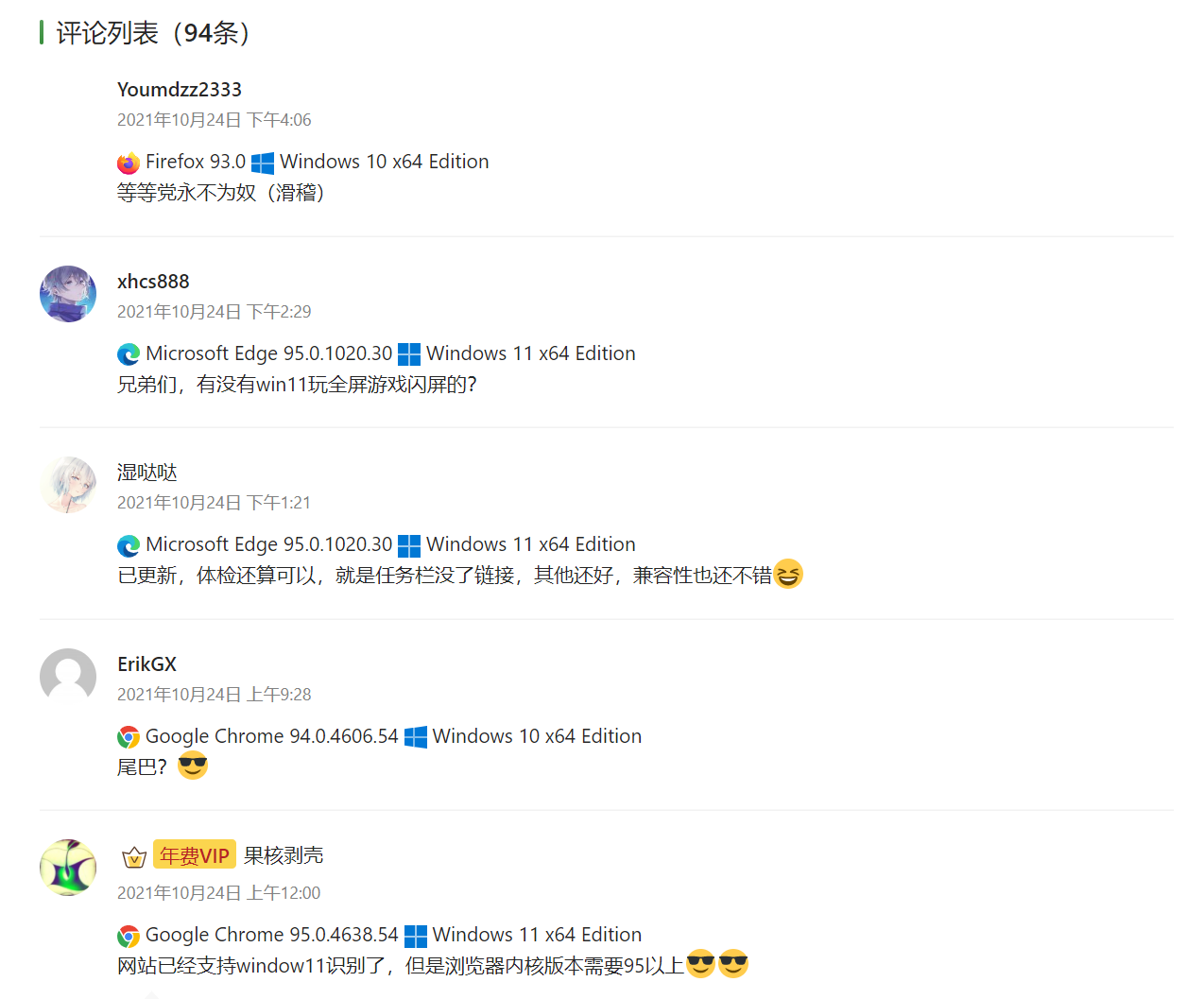

Windows11是Windows10的换皮,useragent值中的版本号Windows版本号还是Windows NT 10,所以,评论插件全部翻车。
在Chrome 95以后的内核后,可以通过JS的方式,来识别Windows版本。
详情查看:微软官方说明
navigator.userAgentData.getHighEntropyValues(["platformVersion"])
 .then(ua => {
   if (navigator.userAgentData.platform === "Windows") {
     const majorPlatformVersion = parseInt(ua.platformVersion.split('.')[0]);
     if (majorPlatformVersion >= 13) {
       console.log("Windows 11 or later");
      }
      else if (majorPlatformVersion > 0) {
        console.log("Windows 10");
      }
      else {
        console.log("Before Windows 10");
      }
   }
   else {
     console.log("Not running on Windows");
   }
 });
但是,就算是JS识别到了,也没法修改客户端UA啊
所以,这儿给一个方法,给评论添加一个隐藏表单,内容自定义。添加钩子:preprocess_comment
可以获取到表单的内容,并且识别他,然后把UA改成Windows NT 11.0版本,这样就能正常显示Windows11了。效果如下图所示。